Roles, keys and networks
Who may do what in SecretHive is decided in one place, and every way in (the pages, the API, the command line, a CI job's token) goes through it.
Two kinds of role
On the server: super admin, admin and user. These are about running the server. An admin makes and renames vaults and manages accounts with the user role, service identities and their keys, groups, network groups and the bin's retention. A super admin also manages admins, sign-in providers and backups, deletes an empty vault and switches a vault's purge protection off. These roles belong to a signed-in person and to the bootstrap token: a person's key never administers, whoever owns it.
A service identity can be an admin (since 0.19), for the scripts and assistants that need an admin's rights now
and then. A super admin gives it the role, on Admin → Tokens or with PUT /api/v1/service-identities/{name}/role
and { "role": "Admin" }, and its keys then act as an admin: never as a super admin, never inside a vault without a
role there, and never through a key narrowed to one vault. Giving the role is a security event, and taking it back
ends it for every key at their next request. The keys of such an identity are made and ended by a super admin only,
so a stolen key cannot make the next one; give them an end date and keep them where they are needed.
In a vault: five roles. Four are a ladder, each including the ones before it; Secrets Writer stands beside it.
| Role | May |
|---|---|
| Reader | See what exists: names, versions, descriptions, field names, a certificate's subject and expiry. Never a value |
| Secrets Writer | What a Reader may, and set values: a new secret, a new version, a certificate or its renewal. Never reads a value, also not the one it just set; deletes, restores, copies and moves nothing |
| Secrets User | Read values. Every read is on record |
| Secrets Officer | Read and set values; change, delete and restore; copy, move and link to another vault where it is an officer too |
| Vault Admin | Decide who holds which role, set the vault's networks, purge |
Secrets Writer is for whatever rotates: a job that makes a new password and stores it, a certificate renewal. Its key can be lost without one value being read with it. What it can do is replace values, and a replaced value is a new version with the old one kept, so that is undone by going back a version. A new version from a Secrets Writer keeps the fields it does not name, sensitive ones included, without reading them.
Roles held through more than one assignment add up: an account that is Secrets User itself and Secrets Writer through a group reads and sets, and still deletes nothing. A key's highest role can be Secrets Writer too: the key of a Secrets Officer then sets and reads nothing.
A role is given to an account or to a group, on the vault's Access page. A vault has a page for its secrets, one for access, one for its networks and one for its bin; each is offered only to whoever may use it.
Folders
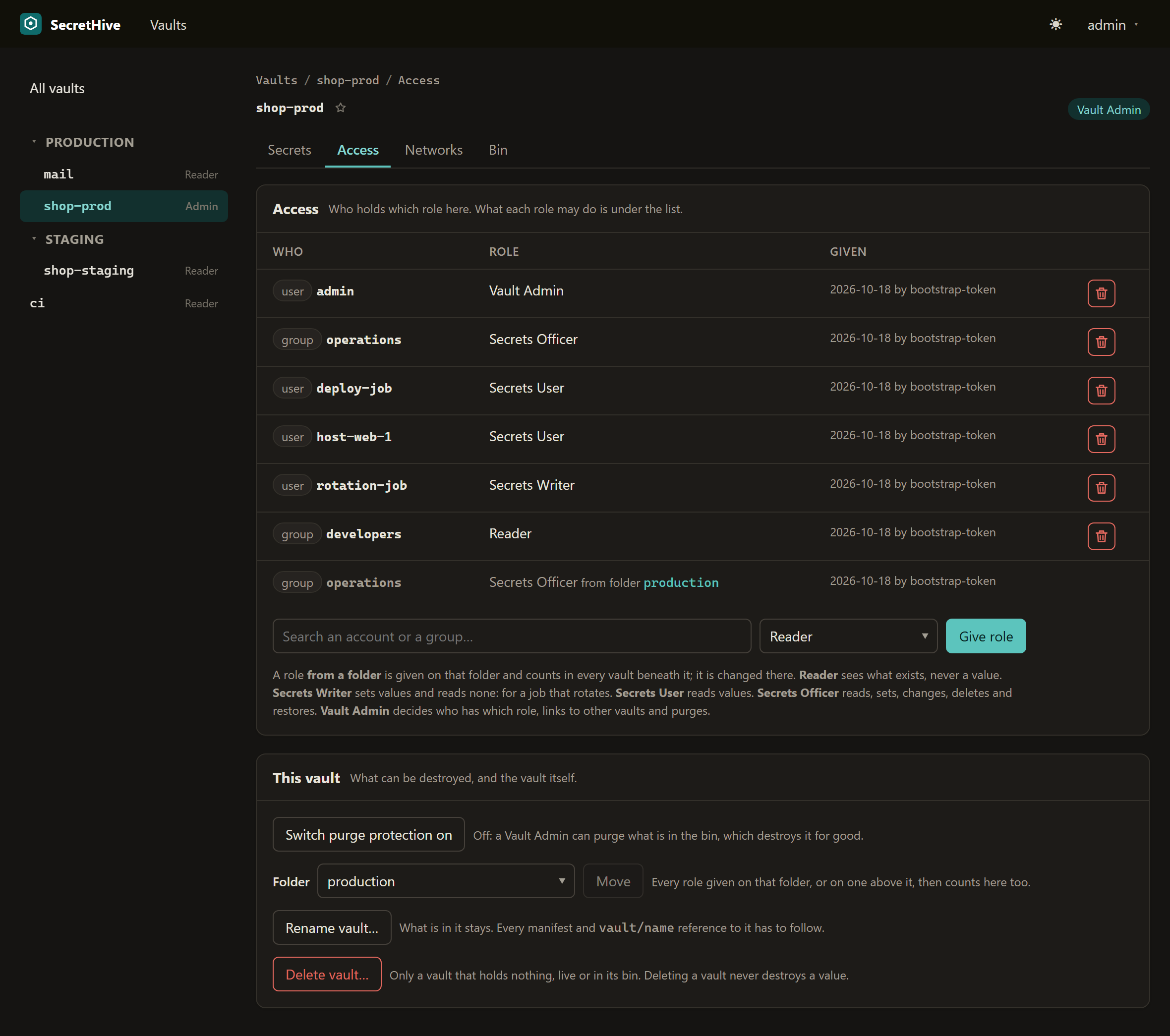
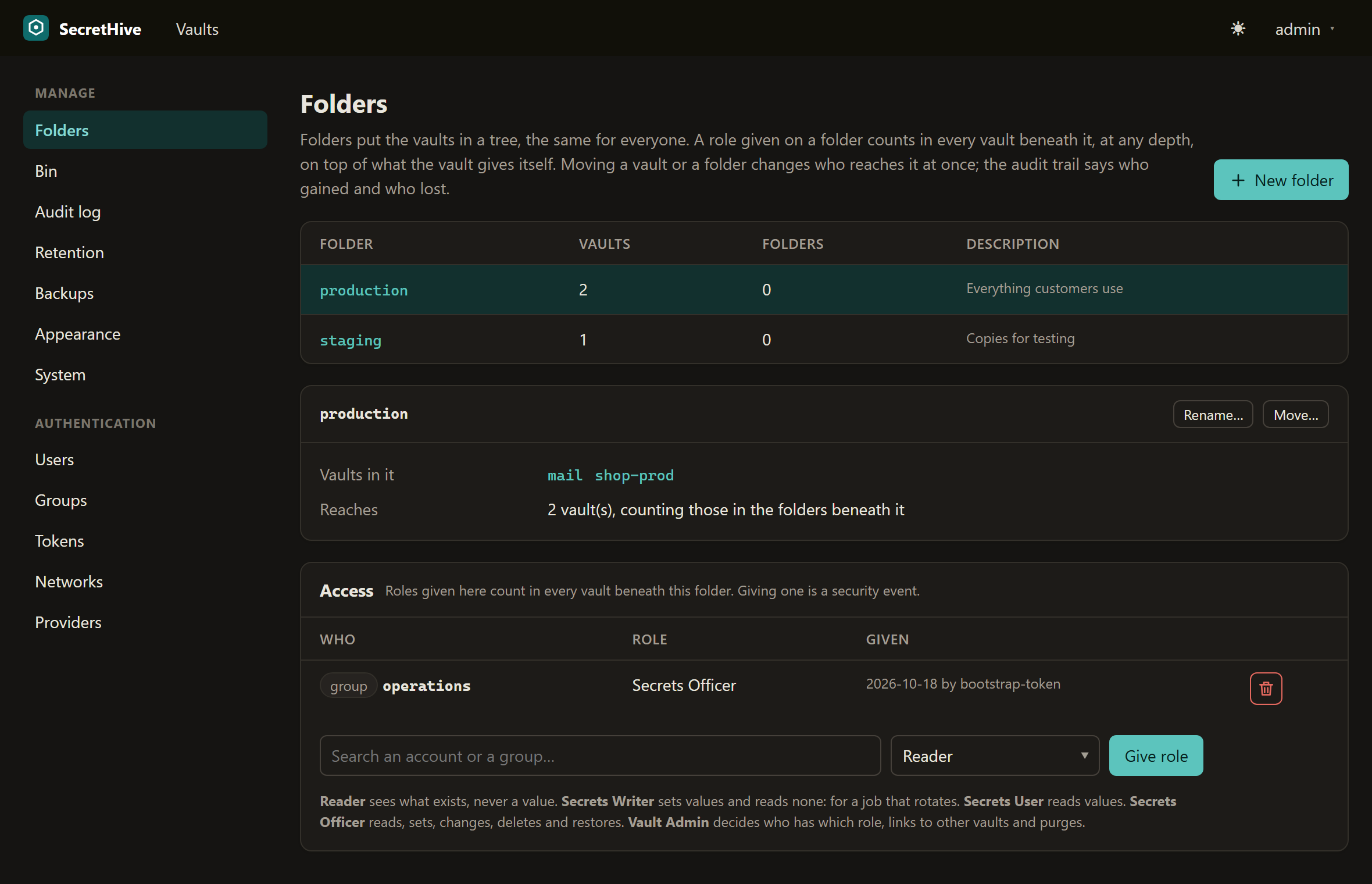
An administrator puts the vaults in folders, a tree that is the same for everyone (from 0.23). A role given on a folder, to an account, a service identity or a group, counts in every vault beneath it, at any depth, on top of what the vault gives itself. It only ever adds: a vault cannot take away what a folder above it gives, so a vault that has to be stricter goes in a folder of its own.
The role is worked out at each check and never copied into the vaults. Moving a vault, or a folder, changes who reaches it at that moment, and nothing is left behind where it was. Because a move can widen access without anyone touching a role, every move says in the audit trail who gains and who loses, and is a security event when anyone gains; so is a vault made straight into a folder. Every role given on a folder is a security event too, with the number of vaults it reaches.
A vault's Access page lists what it inherits, with the folder it comes from; that role is changed on the folder, on the Folders page of the admin area. Someone who is no administrator sees only the folders on the way to their own vaults. A key narrowed to one vault, or capped at a role, stays so whatever a folder gives its owner. Network limits stay per vault.
Get-SecretHiveFolder                                   # the folders, with their path (module 0.5.0)
Move-SecretHiveVault shop-prod -Folder production      # after asking; administrators only
Over the API: GET /folders, PUT and DELETE /folders/{folder}, POST /folders/{folder}/rename and /move,
GET, PUT and DELETE /folders/{folder}/access (by key or by name, as for a vault), and
PUT /vaults/{vault}/folder. GET /vaults and a vault's access list say where each vault and each role comes from.
An administrator is not a reader of values
An administrator of the server sees every vault as a Reader. That is on purpose: they hand out the roles, so they must be able to see the vaults, but running the server is not a reason to read what it holds. To read a value, an administrator gives themselves Secrets User in that vault like anyone else.
Said plainly: an administrator can always reach a value. Besides a role to themselves, they can give a reading role
to a service identity and make it a key, put themselves in a group that holds one, or set a person's password and
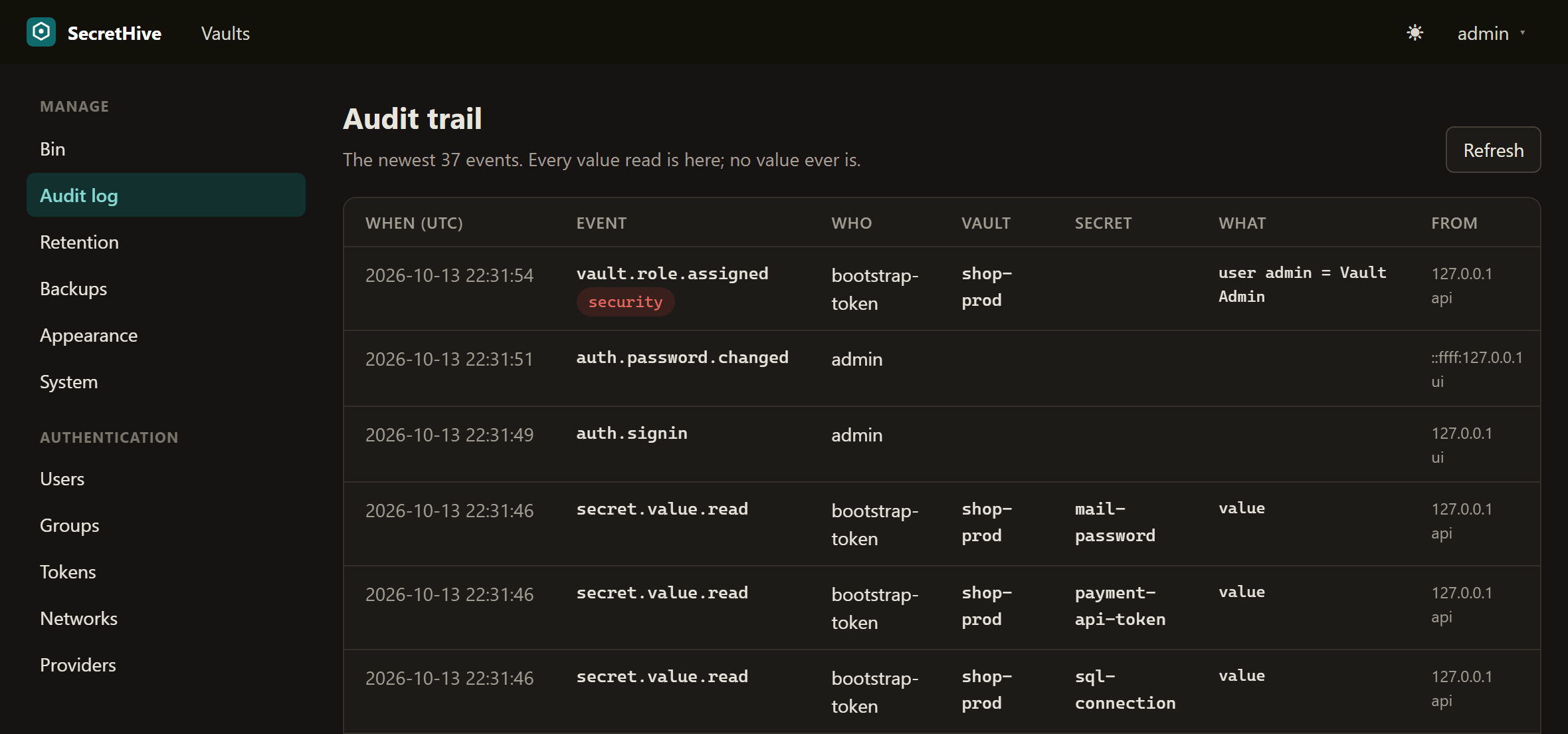
sign in as them. SecretHive does not pretend otherwise; it makes every one of those routes a security event in
the audit trail (vault.role.assigned, group.member.added, user.password.reset), next to a new Vault Admin.
Watching those events is the control, and the trail leaves the host as it is written.
A vault you have no role in does not exist as far as you can tell: its name answers "there is no such vault". A vault where your role is too low refuses, says which role it takes, and records the refusal.
Keys
A key is how a script, a host or a person's tool signs in to the API. A key:
- belongs to one identity and is audited under it: a person's account, or a service identity made for a host or a job (Admin → Tokens);
- is shown once, when it is made, and stored as a hash;
- expires (1 to 366 days, 90 unless you say otherwise), or has no end date when you leave the date empty
(
noEndDateover the API): it then works until it is revoked, the page warns before it is made, the list shows "never", and making it is a security event in the audit trail; - can be limited to one vault, to a highest role it never acts above whatever its owner holds, and to listed networks;
- without a highest role it follows its owner's role: change the identity's role in a vault and the key acts with the new one at its next request. With one, a refusal says that the key's own limit is what stood in the way;
- its highest role can be changed in place while it works (Admin → Tokens, or your profile), so a key does not have to be made and rolled out again; widening or lifting the limit is a security event;
- is limited to 300 requests a minute, and going over is a security event;
- never acts as an administrator, also when its owner is one: it reads and writes secrets, and manages nothing.
An identity holds at most two working keys, so a rotation is: make the new one, put it where it is used, revoke the old one.
From a script, with an administrator's rights:
S=https://vault.example.org/api/v1
# The key goes from the answer into a file. It is never typed, echoed or passed as an argument.
curl -fsS -X PUT  -H @auth.hdr -H 'Content-Type: application/json' \
     -d '{"description":"compose stacks on web-1"}'    $S/service-identities/host-web-1
curl -fsS -X PUT  -H @auth.hdr -H 'Content-Type: application/json' \
     -d '{"user":"host-web-1","role":"SecretsUser"}'   $S/vaults/shop-prod/access
( umask 077
  curl -fsS -X POST -H @auth.hdr -H 'Content-Type: application/json' \
       -d '{"label":"deploys on web-1","days":90,"networks":["10.0.5.20"]}' \
       $S/service-identities/host-web-1/keys | jq -j .key > server.key )
Accounts, identities and groups from a script
What the admin pages do is on the API too, for an administrator's bearer token: the bootstrap token, or the key of a service identity that is an admin. A browser session may read these routes and change nothing through them; any other key, and a job's token, is refused.
GET /users, PUT /users/{name} |
List people's accounts; make one with displayName, email, role, password (replaced at the first sign-in) |
PUT /users/{name}/role, /disabled, /password, DELETE /users/{name} |
Change one. A new first password is a security event |
GET /service-identities, PUT /service-identities/{name} |
List and make service identities |
PUT /service-identities/{name}/role |
User or Admin; a super admin's to set, never SuperAdmin. Widening is a security event |
PUT /service-identities/{name}/disabled, DELETE /service-identities/{name} |
Disable, or remove with its keys and roles |
GET, POST /service-identities/{name}/keys, DELETE …/keys/{key} |
List (never the key itself), make, revoke |
PUT …/keys/{key}/max-role |
Change a working key's highest role, or send null to let it follow its owner |
POST …/keys/{key}/networks, DELETE …/keys/{key}/networks/{line} |
Limit a key to a network group or a range, or take a line off |
GET /groups, PUT, DELETE /groups/{name} |
Groups with their members and provider links |
PUT, DELETE /groups/{name}/members/{user} |
Members |
PUT /groups/{name}/provider-links, DELETE …/provider-links/{link} |
Which group at a provider feeds this one |
GET, PUT /settings/theme |
The theme pack for everyone |
All under /api/v1. A person's own profile, password and keys are not here on purpose: they are made on the pages
with that person's session, so a key can never make another key.
Networks
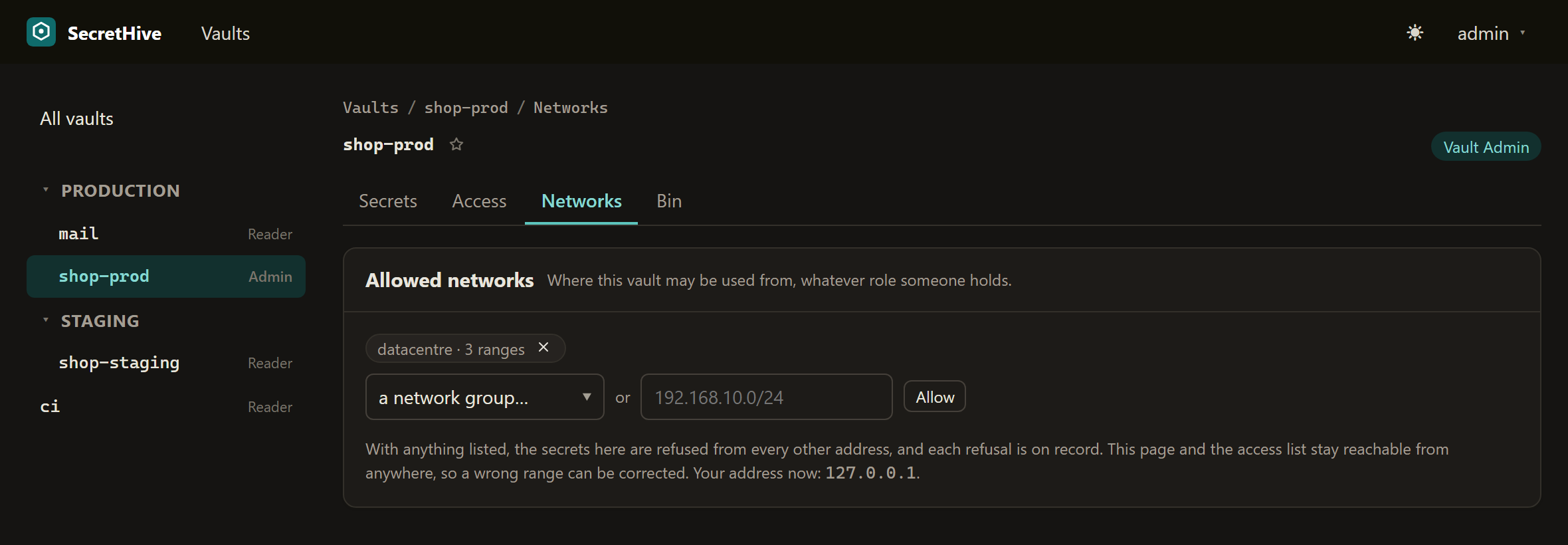
A vault and a key can each list the networks they may be used from. Ranges are kept as network groups (Admin → Networks), named once and used wherever they apply, so an address range changes in one place.
- With anything listed on a vault, its secrets are refused from every other address, whatever role the caller holds, and each refusal is a security event naming who and from where.
- The vault's access list and its network list stay reachable from anywhere for whoever manages them, so a wrong range can be corrected. The page shows the address your request comes from.
- A key limited to a network is no credential from anywhere else.
Behind a reverse proxy the address is the one the proxy passes on; see Running in production.
Links between vaults
Two vaults can hold one value under their own names: change it in one and the other has it. Use it for the secret two applications share, instead of two copies that drift. A link is made by a Secrets Officer of both vaults and is a security event, because it lets the readers of one vault read what the other holds. A name can be taken out of its link again and becomes an independent copy.
What linked names share: the value, its versions, the sensitive fields and, from 0.29, the ordinary fields such as
username and url. A user name changed through one name is the user name of all of them. The description is
each name's own: a new link starts with the description of the name it was made from, and from then on each vault
describes its name as it likes. Links made before 0.29, whose names had fields of their own, are made to agree once
when 0.29 starts: where they differ, the oldest name's field is kept, and the audit trail has a
secret.fields.aligned row that says which fields and which names, never what was in them.
Renaming a secret, or a vault
A Secrets Officer of the vault renames a secret with Rename… on the secret's page, with
POST /api/v1/vaults/{vault}/secrets/{name}/rename and { "name": "<new>" }, or with Rename-SecretHiveSecret. Its
versions, fields, links and history stay with it; the old name is free and answers "no such thing", and a new
secret made under it later starts with a history of its own. As with a vault, whatever outside the server names
the secret (a host manifest's vault/name, a job, a script) has to be changed by hand. The rename is on record as
secret.renamed, detail old -> new.
A vault
An admin of the server can give a vault another name, on the vault's Access page or with
POST /api/v1/vaults/{vault}/rename and { "name": "<new>" }. What is in the vault stays with it: secrets, versions,
the bin, roles, keys narrowed to it, its networks and its links, which all point at the vault and not at its name.
The old name is free afterwards and answers "there is no such vault".
What does not follow is everything outside the server that names the vault: host manifests (vault: and every
vault/name reference), job settings, scripts. Change those to the new name, then let the hosts pull again. That is
why a rename is an admin's act, like creating and deleting a vault, and a security event in the audit trail
(vault.renamed, detail old -> new). The vault's activity keeps everything from before the rename, each row with
the name the vault had when it was written.
The bin, and deleting a vault
A deleted secret goes to its vault's bin and frees its name. A Secrets Officer of the vault sees the bin on a page of its own and can restore from it, also under another name; only a Vault Admin can purge, which is the one thing that destroys a value, and not at all while the vault has purge protection.
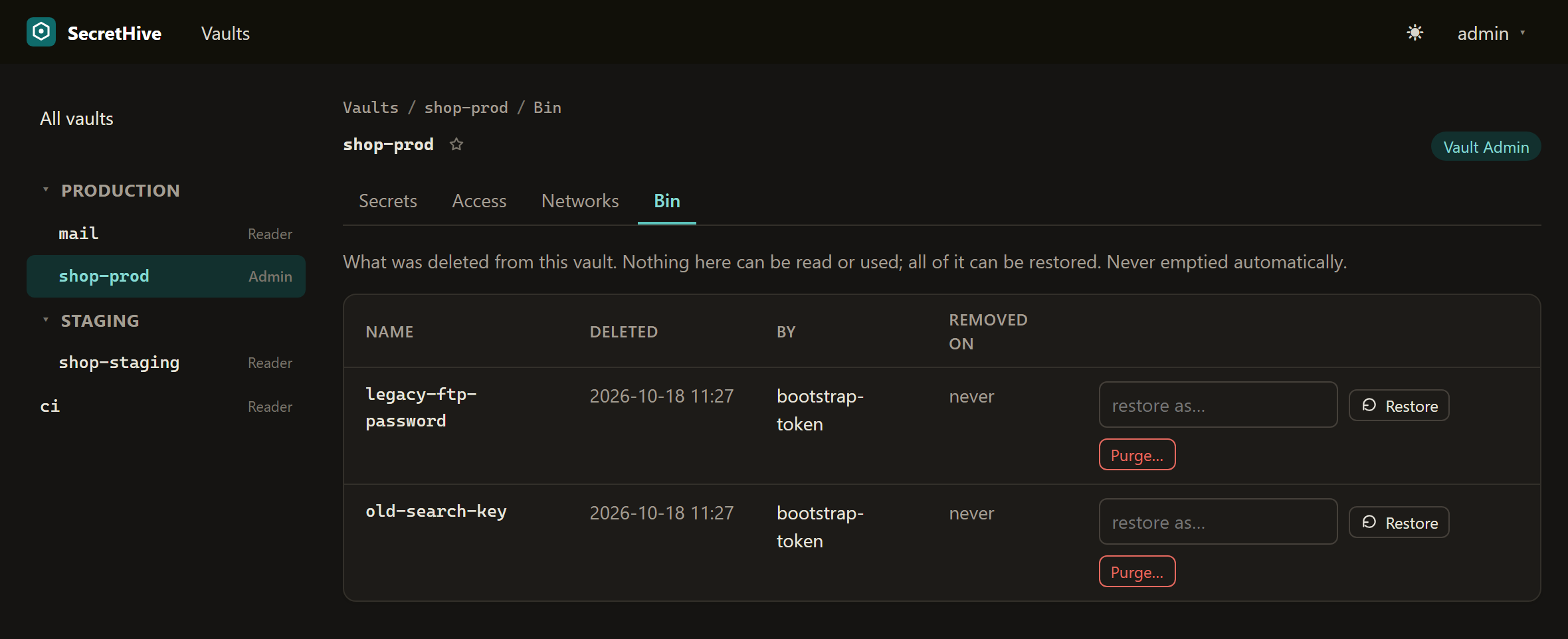
A vault itself can be deleted only by a super admin, and only when it holds nothing, live or in its bin. Deleting a vault therefore never destroys a value: whatever is in it has to be deleted and purged first, each a decision of its own on record.
A new version keeps what it does not name
PUT /api/v1/vaults/{vault}/secrets/{name} with only a value changes the value and nothing else: the description,
the content type and every field stay, the sensitive ones carried over without being read. A field that is sent
replaces the one of that name; a field sent with an empty value is taken away. "replaceDetails": true makes the
new version exactly what was sent. (Before 0.15.1 a new version always was exactly what was sent.)
Finding a secret
The search box on the Vaults page, and POST /api/v1/search with {"query": "…"}, look through every vault you have a role in for
the words you type: in a secret's name, its vault's name, its description and its ordinary fields. A search sees
what a Reader sees. It never looks at a value or a sensitive field, so it is not a read and leaves no audit row,
and a vault that may not be used from your address is passed over without a word.
What is on record
Every value read, every change, every role given or taken away, every key made or revoked, every refusal. An audit row names the event, who, the vault and secret, the address and whether it came through the pages (a session) or the API (anything else). It never holds a value. The trail is on a page per vault and for the whole server, and each row is also a JSON log line; see Running in production.